
CeeDee-Ripper is an app for extracting audio from audio CDs.
CeeDee Ripper detects inserted discs, looks up metadata, lets you choose which tracks you want to keep, and saves them as FLAC, MP3, WAV, or Ogg Vorbis files.
CeeDee Ripper extracts audio from Audio CD’s to these formats:
- FLAC is an open, royalty-free audio codec that provides lossless compression. Meaning, the audio is reduced in size without any loss of quality when decoded.
- MP3 is a coding format for digital audio using lossy data compression, like most digital renditions yet, compressed. Defined by the MPEG-1 and MPEG-2 standards, it reduces file size by removing audio data considered less audible to human hearing.
- WAV is a standard digital audio file format used for storing audio on Windows systems. It’s based on the RIFF container and typically stores uncompressed PCM audio.
- OGG or VORBIS OGG is a free, open, and patent-free audio compression format designed for lossy encoding. An alternative to proprietary formats like MP3, thus Ogg Vorbis.
- So, yeah, MP3’s aren’t truly FREE. They’re paid for via your distro or by other means and methods. Perhaps your hardware, perhaps the bloatware that resides on your hardware within your OS.
- I mean really man. Who knows?
Two versions of ui for ceedee-ripper exist, enabled by …
- –features gtk-ui | gtk
- –features egui-ui | egui
Currently, CeeDee Ripper is only available for Linux. You can find it here and you can also find it here.

Second choice of an icon and title which might have been K-Ripper. The title was already taken by another KDE dev. Kept tha icon intact though.
If you’d like to build your own ceedee-ripper for your system, grab the repo here. Everything you need to compile CeeDee-Ripper for x86_64 machines (64bit) and most Linux plus, some avenues leading to cross-compiling for Windows & Apple boxes.
If you grab and/or read the repo, there are instructions to install ceedee-ripper to your system so that you no longer need further enhancements.
CeeDee-Ripper is v1.1.*, such that is final and complete. True, I may upgrade it.
All I’m doing now is uploading CeeDee-Ripper to the web and further repositories.
CeeDee-Ripper is distributed as an AppImage (ceedee-ripper-1.1.0-x86_64. AppImage) although .deb and .rpm versions do work locally. Use ./scripts/install-deps.sh to make sure you have all that you need.
Upon launch,
use:
- target/[distro]/ceedee-ripper-1.1.0-x86_64.[AppImage] –feature gtk-ui for this ui:
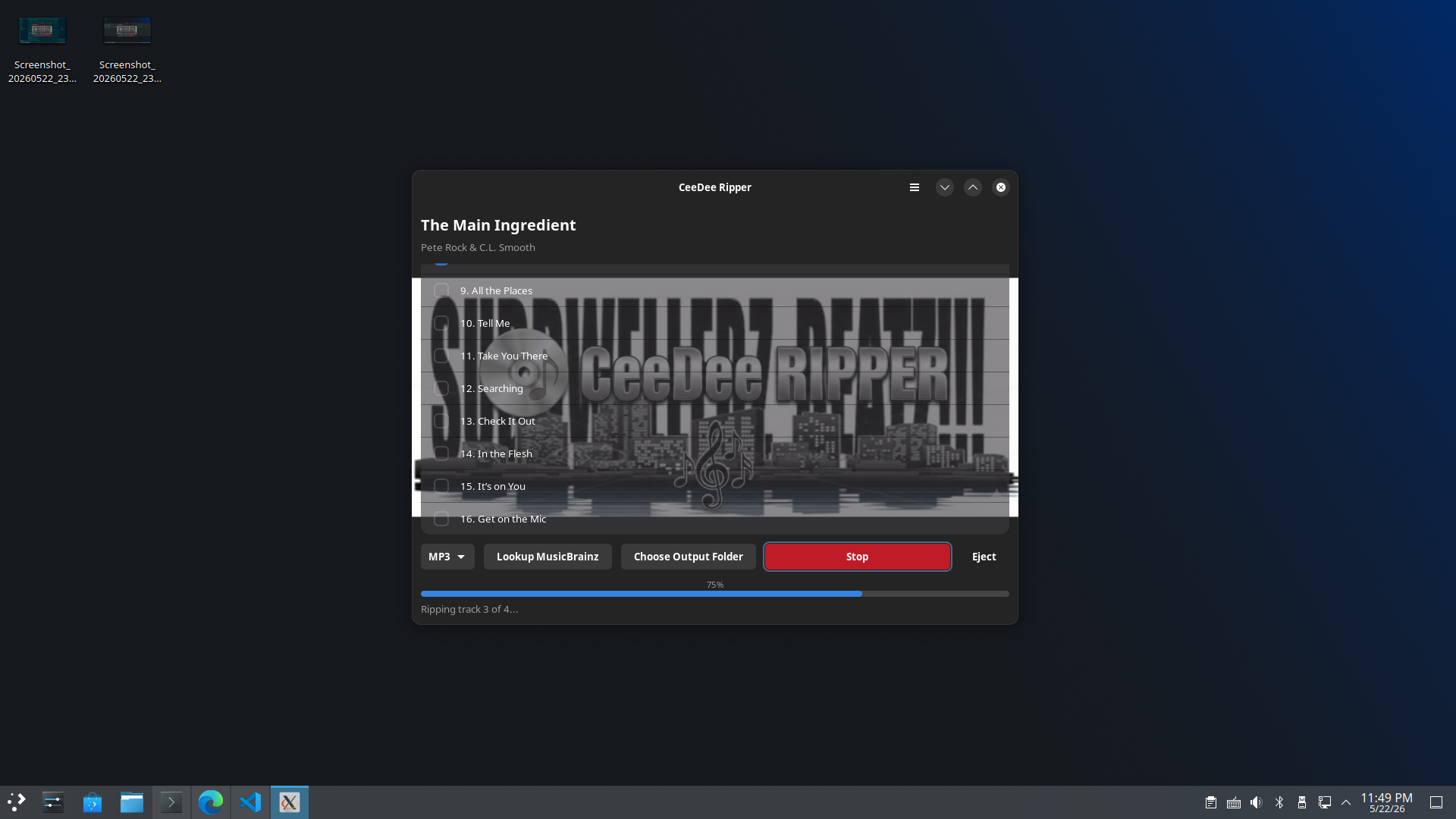
use:
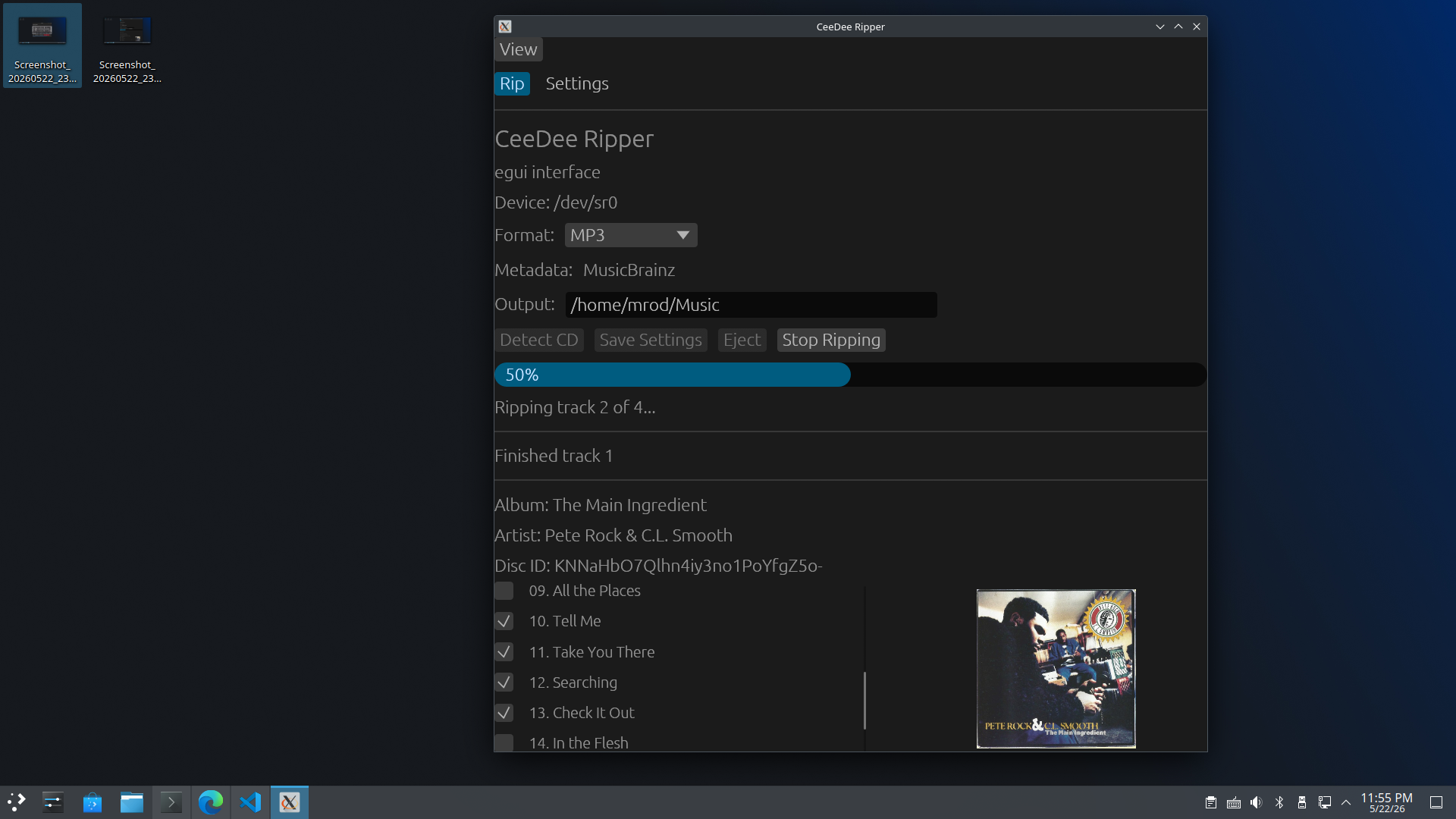
- target/[distro]/ceedee-ripper-1.1.0-x86_64.[AppImage] –feature egui-ui for this ui:
CeeDee Ripper can be found at the following locations for now,
- bookmotives.com/CeeDee-Ripper
- github.com/odioski /CeeDee-Ripper
- Debian/Ubuntu/Kubuntu/Fedora – click one of the following links … [dpkg -i *.deb] or [dnf install *.rpm] (Active X) – might need sudo …
- Direct download.
Looks like a long pause before snap and flatpak builds.
Wise.
No joke tho, CeeDee Ripper accesses your CD-ROM Drive. Both Snapcraft and Flathub steer clear and stay leery of such applications for normal and understandable reasons. Read up. You’ll probably learn something.
And … just so you know … yeah … some of us still use CDs.
Holy Shit!
Where The Crow’s Nest is still under development all the while, while all this kind of ______ is going on.